A concept that connects stores and cafés with nearby shoppers before the day ends and the food goes in the bin. On one side is a person looking for cheaper fresh food; on the other, a store that needs to post an offer faster than it takes to write a social media update.
ROLEDesign and research - one person
DURATIONFour weeks
METHODSCompetitive audit, personas, user journey maps, usability study
STATUSPrototype - a concept, not shipped
CONTEXTGoogle UX Design Professional Certificate
rescue.lv
1440px / site
402px / app
PROJECT OVERVIEW
THE PROBLEM
Latvian stores throw away food that is still good every day, because there is no simple tool that tells nearby people in time that it exists. On the other side, families and students are looking for cheaper fresh food. In none of the products I audited are the two sides connected in real time.
THE GOAL
An app and a site where a shopper finds and reserves the nearest offer in a few taps, and a store posts its own offer in four fields. One product that serves both sides without turning either of them into an afterthought.
MY ROLE
The competitive audit, research and personas, user journey maps, wireframes and mockups for both interfaces - the mobile app and the site at both widths - and the usability study.
2user sides in one product
4competitors audited
6.2:1green and white against each other
WHAT THE RESEARCH CHANGED
I started with a competitive audit: three direct competitors - Too Good To Go, Olio and Paēdušai Latvijai - and one indirect, the Rimi app. I assessed accessibility, functionality and usability. The result was clearer than I expected: at the time of the audit the two strongest were not available in Latvia, and none of the rest offered rescue in real time.
That meant the design would not have to fight an established habit. But it also meant something else: there was nobody to borrow interface solutions from, so every screen had to be argued for from scratch.
>
The information does not arrive in time. A shopper never learns which store has surplus today while it is still available. That is why the app opens on a map and a list, not on a sign-in screen or a promotion.
>
The existing apps are too complicated. The same thing came up across the audit: small text and unclear navigation, which costs an older or less confident user the most. Here the flow from offer to reservation is three screens.
>
Stores have no simple way to publish. Discount stickers and social media posts take time and reach too few people. What the store side is measured in is steps, not features: the publishing form has four fields.
TWO SIDES, ONE PRODUCT
A shopper and a store manager want opposite things from the same product, and they open it at different moments on different devices. The shopper is looking at a phone while walking past, with minutes to spare. The manager is at a computer behind the counter, where publishing must not eat the time the shop floor needs.
>
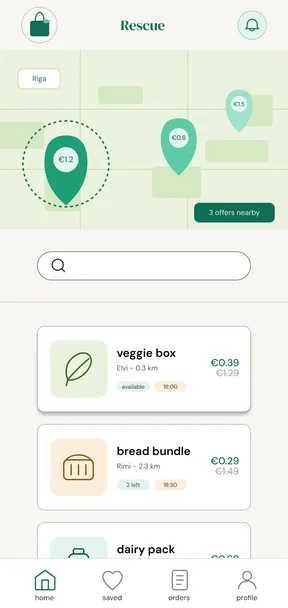
The shopper side lives in the app. A map with pins on top and a scrollable list below it: the store, the distance, the price and the pickup time are visible before anything is opened. The decision gets made in the list, not on the product page.
>
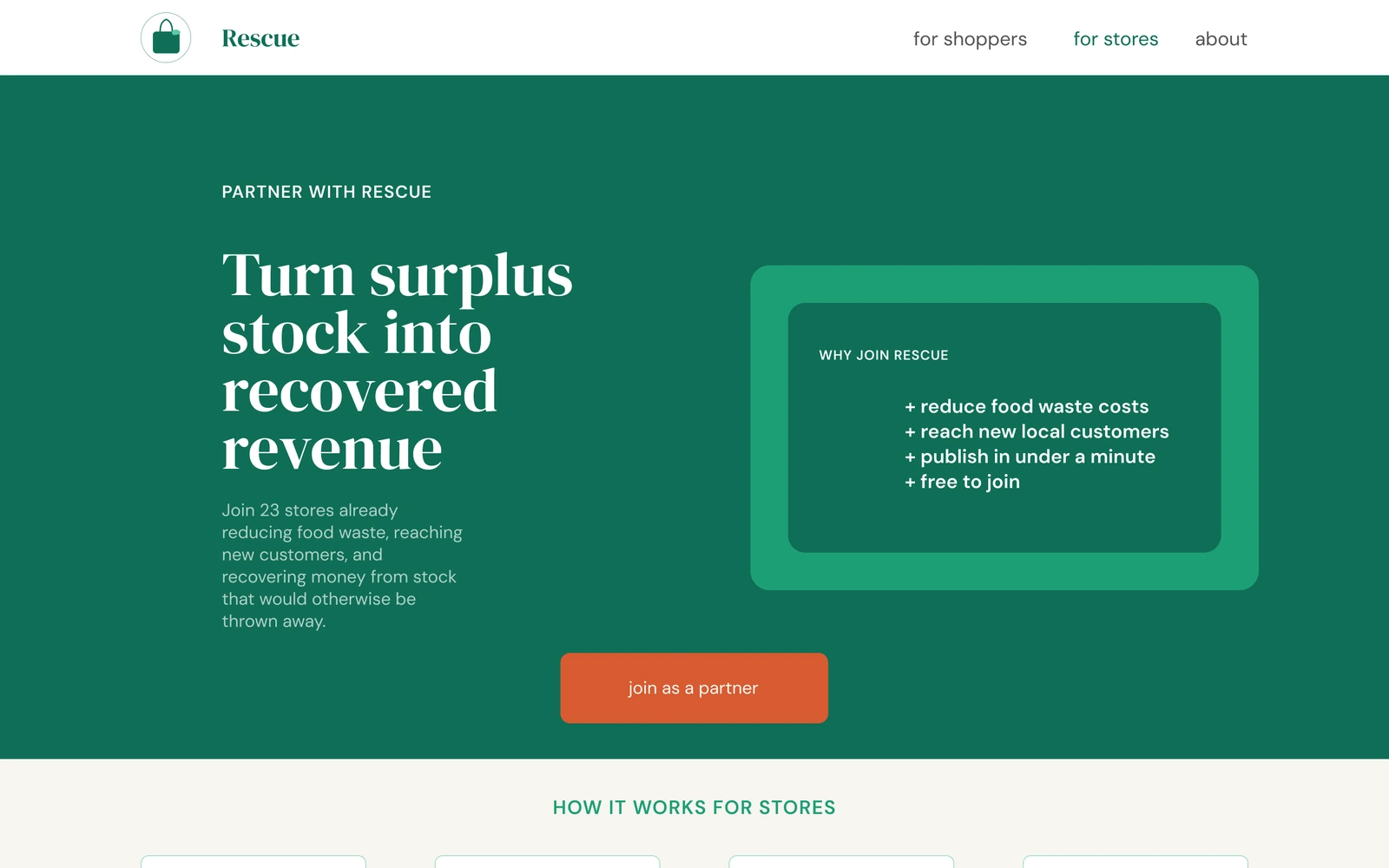
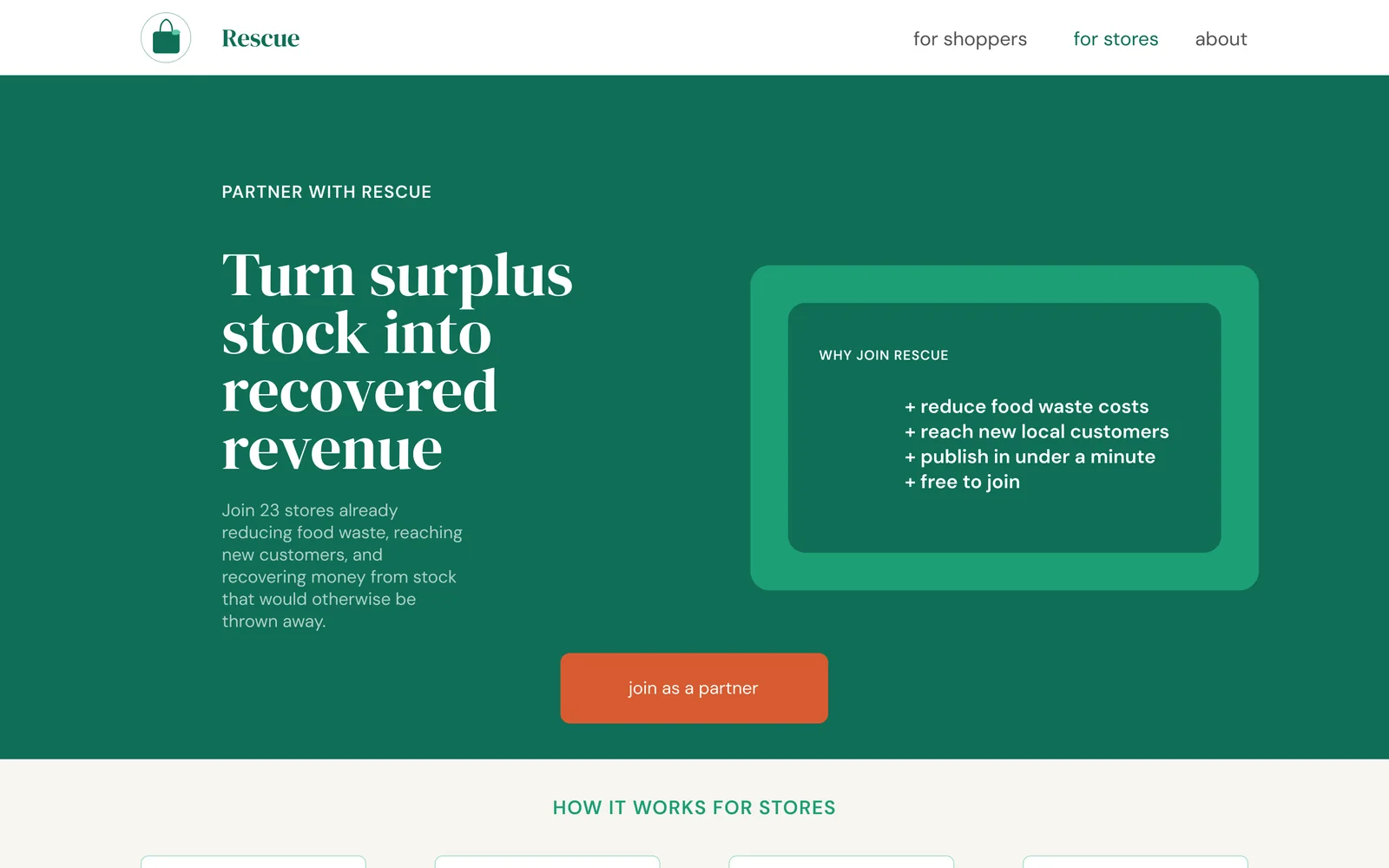
The store side lives on the site. Publishing happens at a computer, in a form with four fields - item, quantity, price, pickup window. The site also has a page aimed at stores, because they have to be convinced, not only served.
>
Both sides meet in the code. A reservation produces a four-character code the shopper shows in store and the staff member checks. The whole product rests on that one short moment, so on the confirmation screen the code comes first, before the address and the pickup time.
SHOPPERS
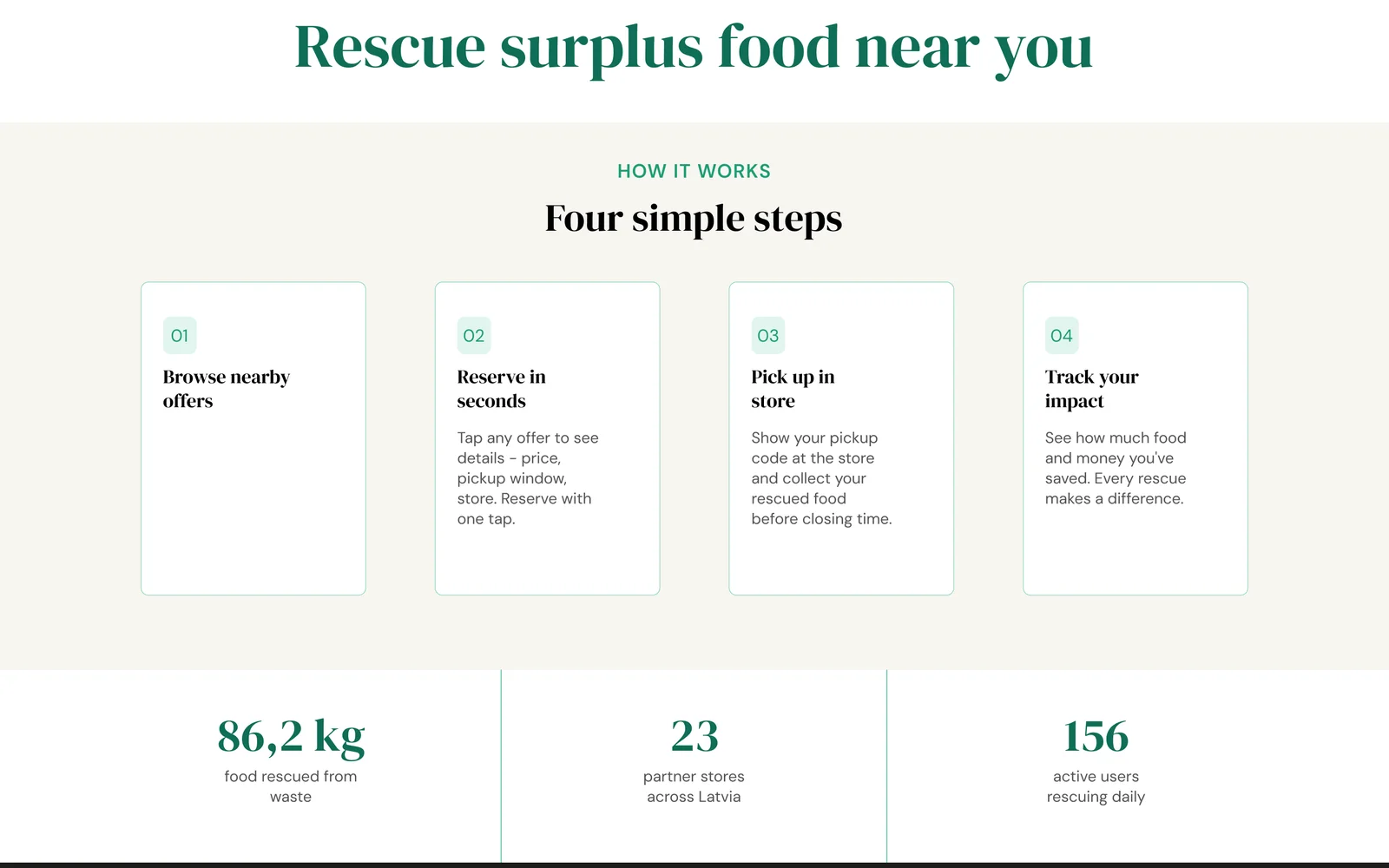
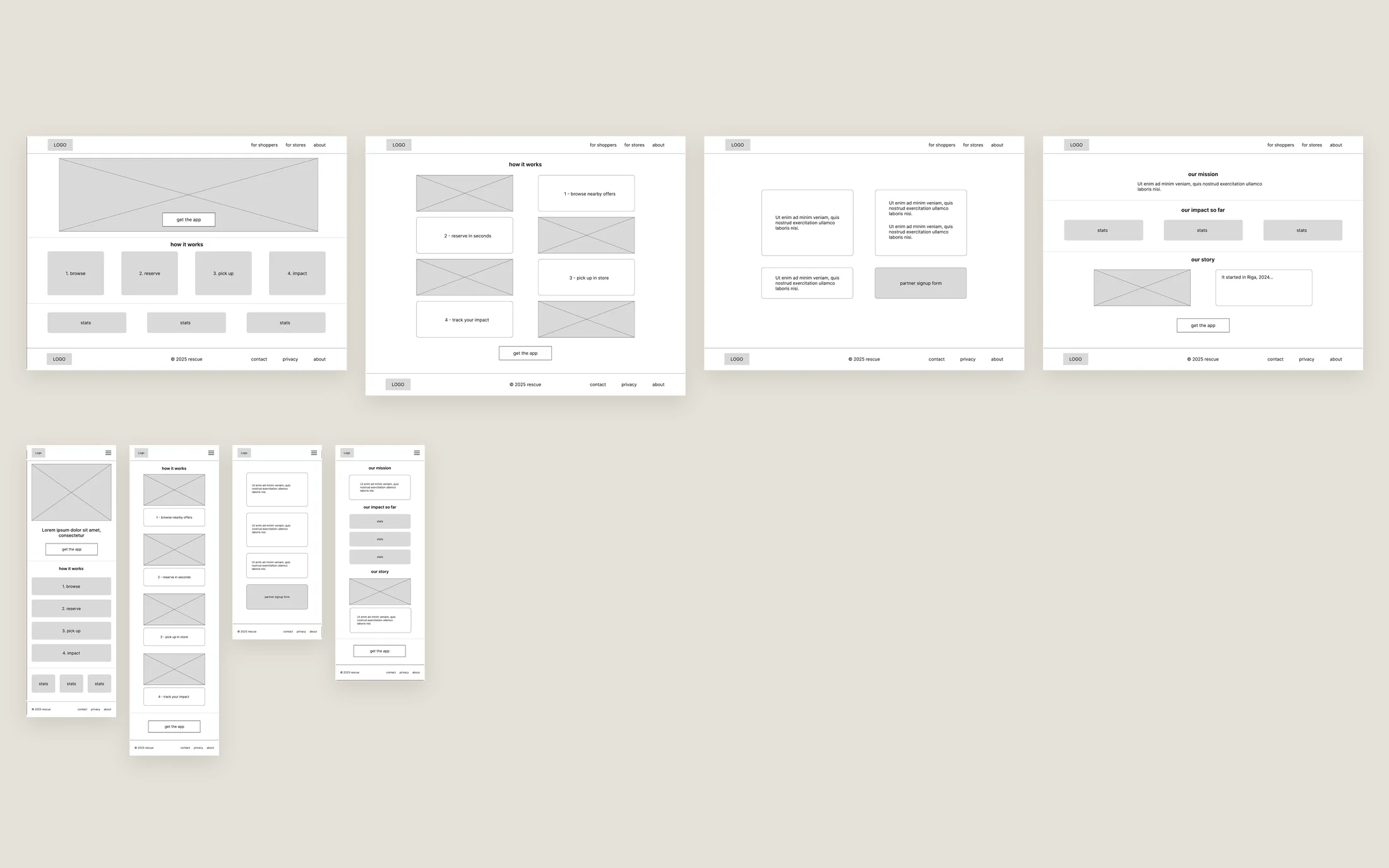
// the shopper page - four steps and three figures
STORES
the same site, a different audience - benefits and a call to join
WIREFRAMES BEFORE COLOUR
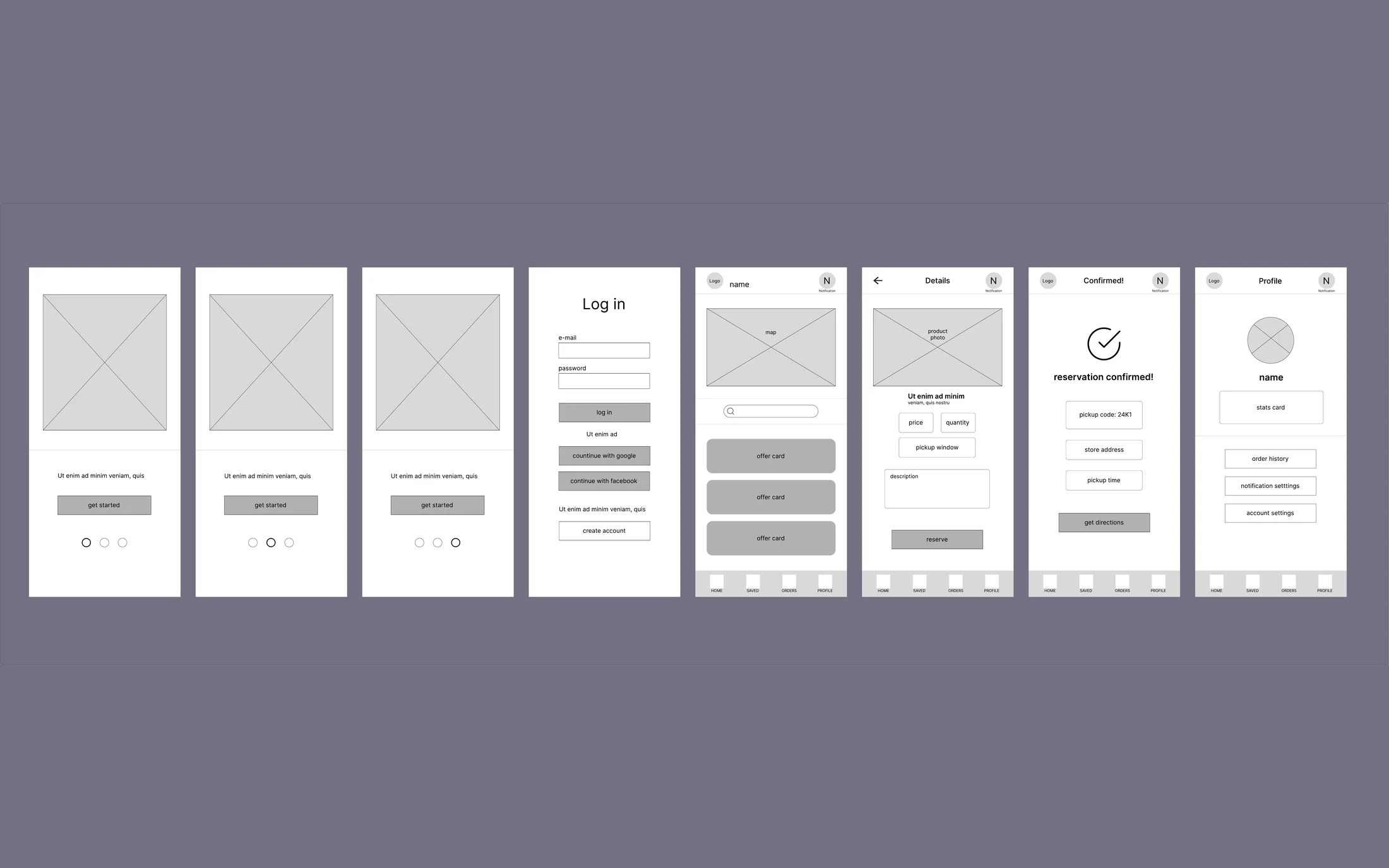
The wireframes are in Figma, with no colour and no photography on purpose: while the screen is grey, the only thing left to argue about is the order and the number of steps. This is the stage where it was decided how many screens sit between seeing an offer and reserving it.
WIREFRAMES
// app wireframes - eight screens, one flow, zero colours
>
Map and list on one screen. The map says how far, the list says how much. Neither on its own is enough to decide, so in the wireframe they sit one below the other with search in between.
>
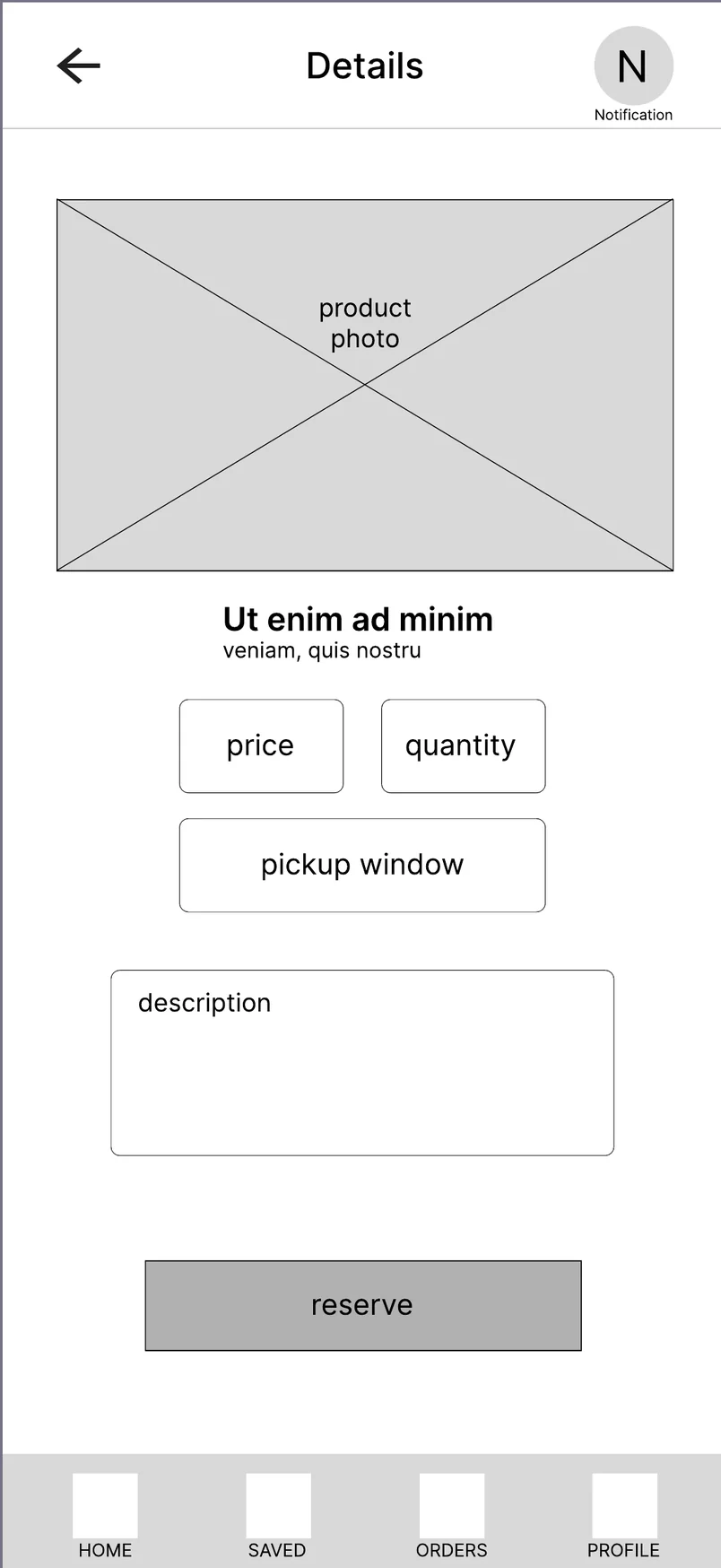
The product screen is one screen. Photo, store, price, quantity, pickup window and description in a single view, with the reserve button at the bottom. Every extra step between seeing and reserving is a place where somebody else takes the offer.
>
The bottom navigation is four places. Home, saved, orders, profile. There was nothing to build a fifth section out of, and the wireframe showed that faster than a finished mockup would have.
WIREFRAMES
// site wireframes - every page in the wide and the narrow variant at once
WIREFRAME
// the wireframe - the order was decided here, not the look
MOCKUP
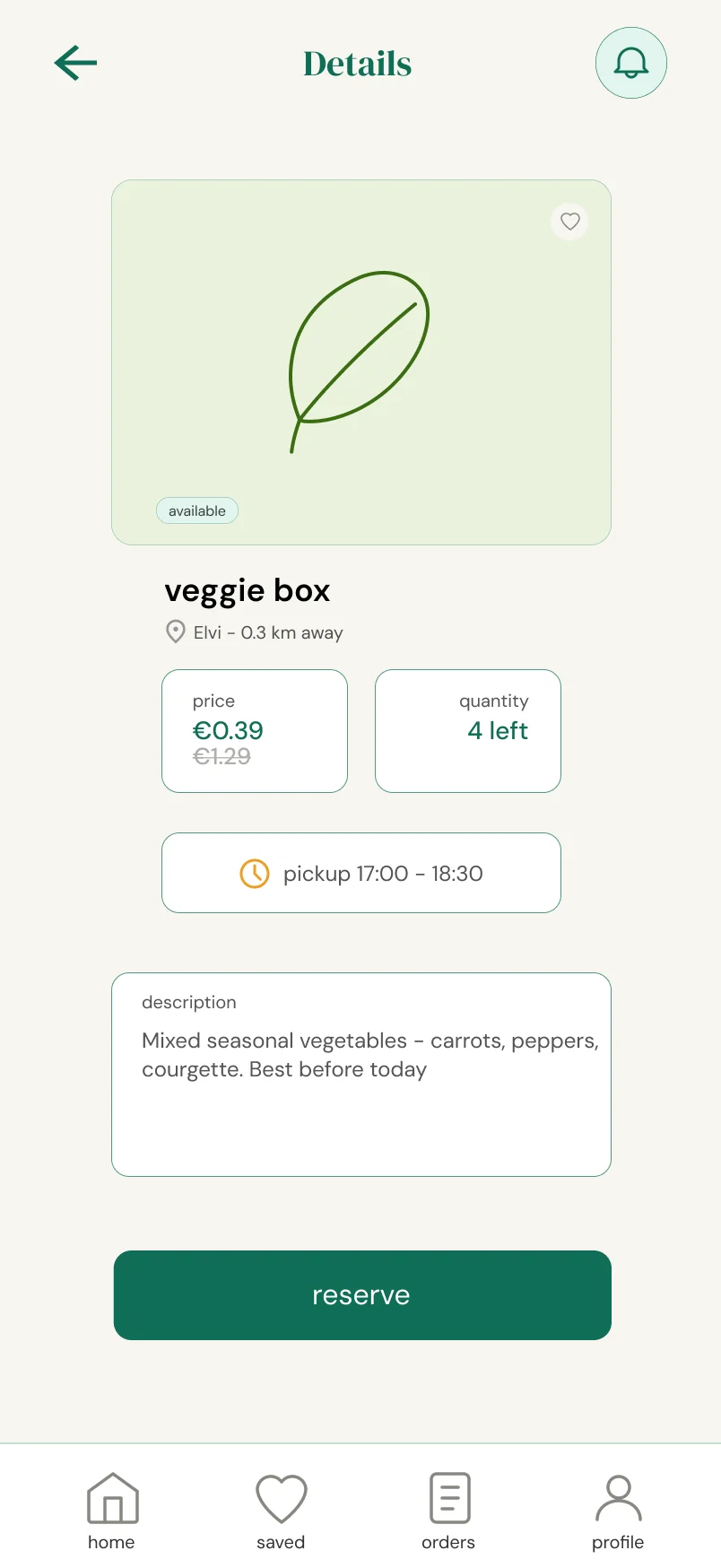
the same screen, the same order, colour added
USABILITY STUDY
The study had one question: does a person know what will happen before they tap. The answer was no, and the place where that showed up was the very first thing anyone sees in the app.
One button, three different meanings
WHAT PARTICIPANTS DID
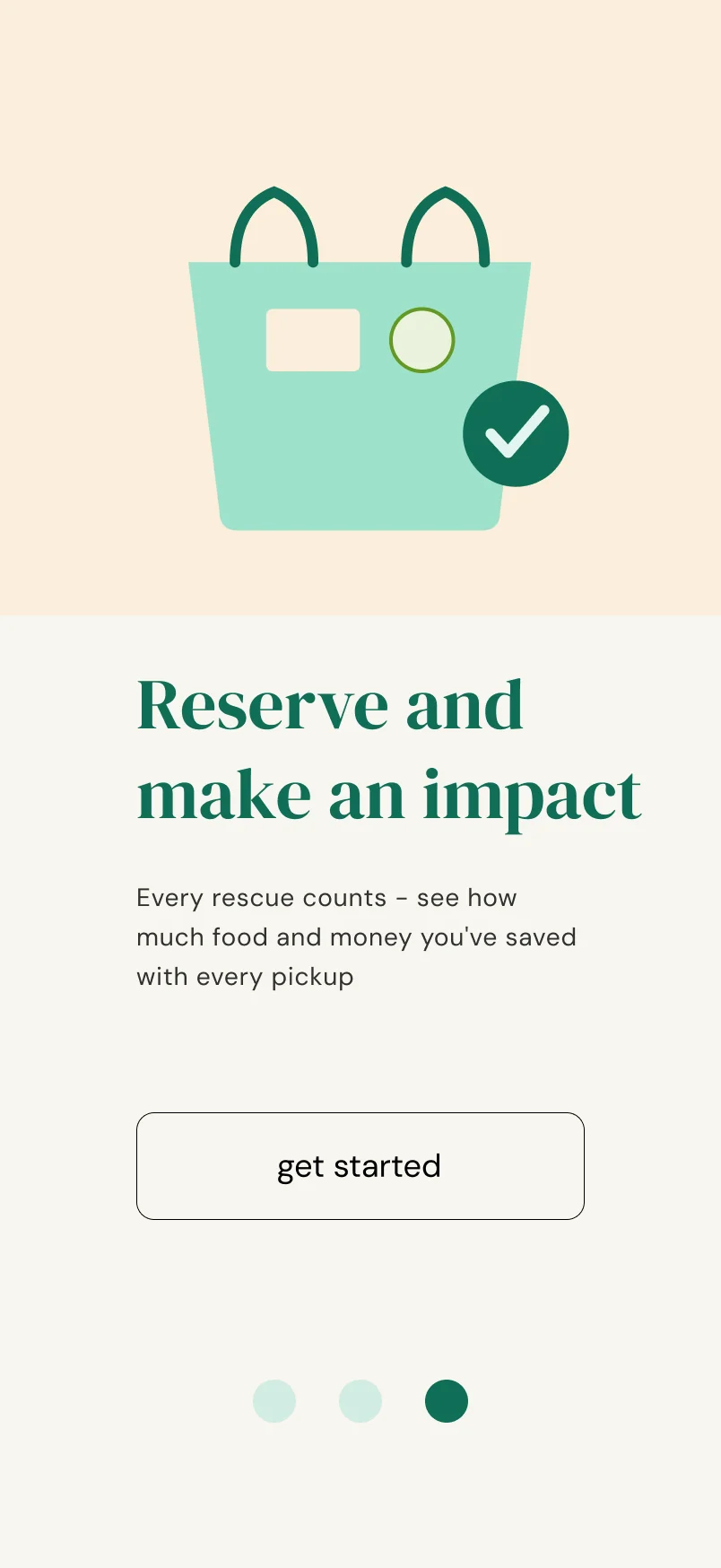
All three onboarding screens had a button reading "get started". Participants hesitated before tapping, because they could not tell whether it would move to the next screen or already begin registration.
WHY IT HAPPENED
The same label on three buttons that do two different things. It was clear to me only because I knew which one was last. The user does not know that, and the dots at the bottom do not say it clearly enough.
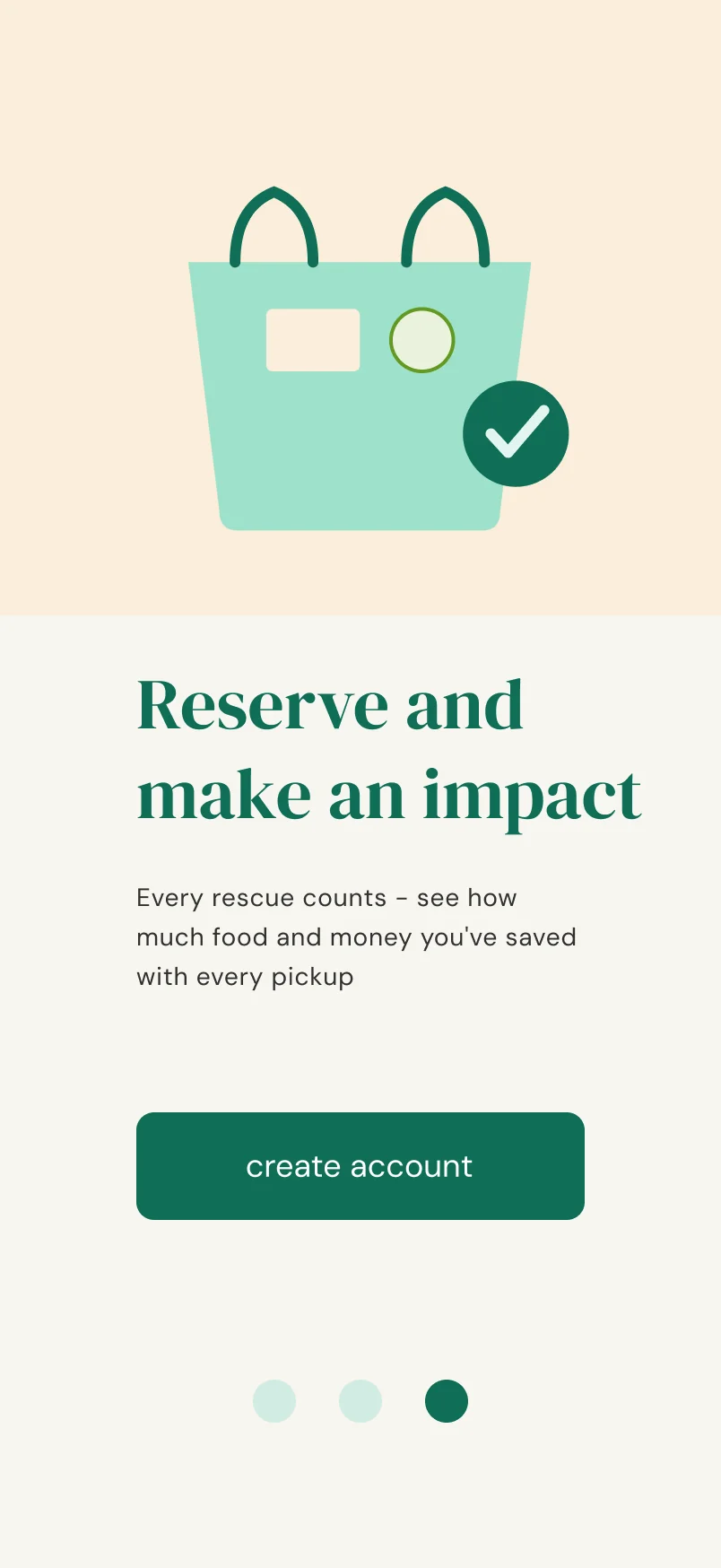
fix: the button on the last screen became "create account" in the brand green. The first two remain transitions, the last one is an action, and the label now says so.
BEFORE
// the third identical button in a row - this is where participants stopped
AFTER
the same screen, a different label and a different colour
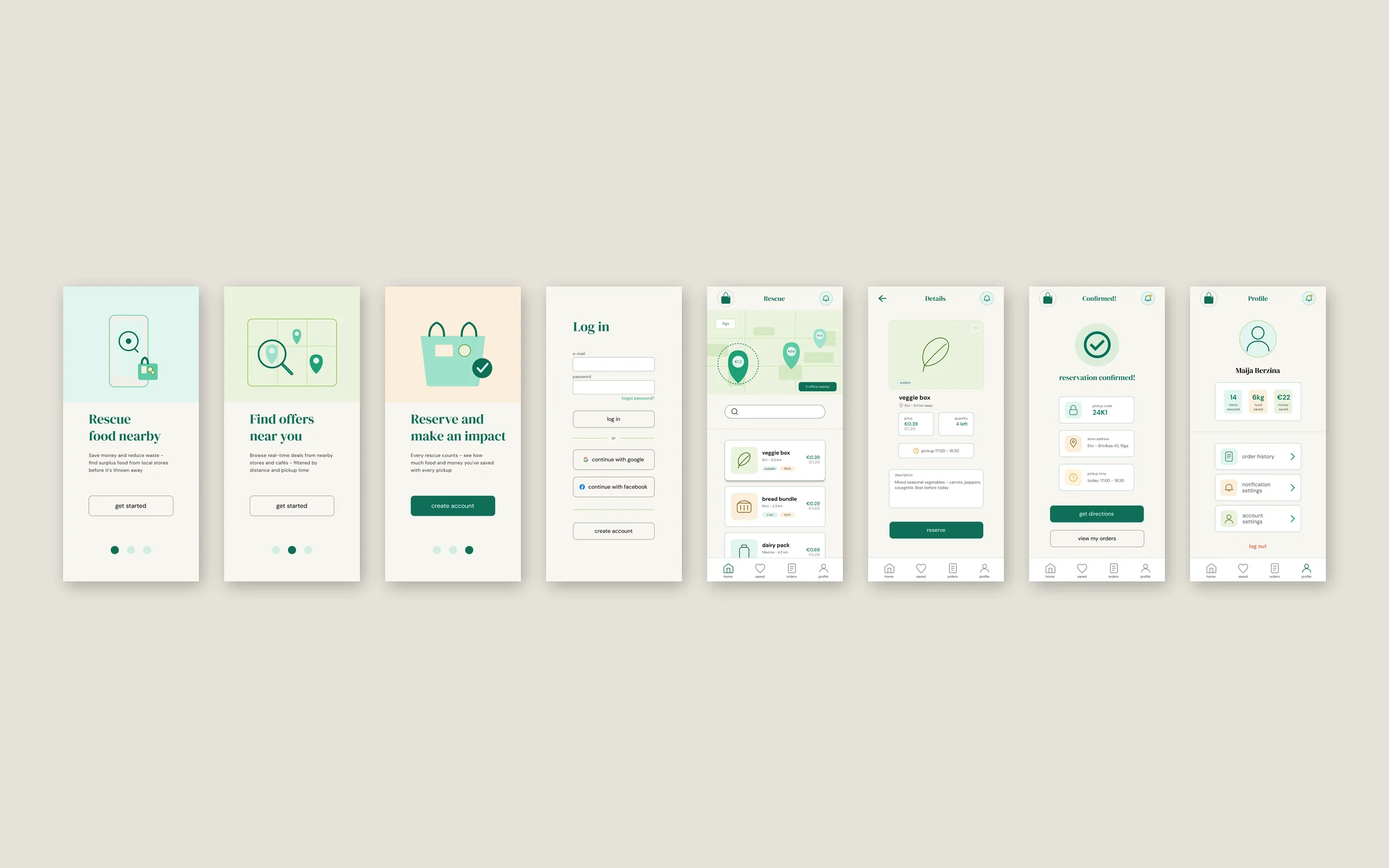
HI-FI
// the finished mockups - the same flow as the wireframes, with the testing change inside
ACCESSIBILITY
A product whose whole point is cheaper food cannot be usable only by people with a new phone and good eyesight. That meant two constraints were in place before the palette and the typefaces were chosen.
>
Contrast is calculated, not eyeballed. The green against white gives 6.2:1, and against the app's warm background 5.7:1. That is why the pair can be used both ways round: green text on a light background and white text on a green button. Both clear the 4.5:1 threshold for body text.
>
State is never carried by colour alone. "available", "2 left" and "1 left" are a colour and a word at the same time. If the colour is not visible or not distinguishable, the label remains, and the state of the offer is just as clear.
>
Two typefaces, clearly separated levels. One typeface for headings, another for everything else, and text steps that mean the same thing on every screen. A consistent hierarchy is what lets someone understand an unfamiliar screen without reading it from top to bottom.
WHAT I TOOK FROM IT
IMPACT
Rescue fills a gap that none of the products I audited fills. It is built for both sides at once: the shopper looking for cheaper food and the store that would otherwise throw it away. This project showed me that a good cause and a viable product are not two separate things.
WHAT I LEARNED
The competitive audit set the direction for everything else, and it happened before the first wireframe. The second lesson is about the system: colours and text steps decided early are, in four weeks, the difference between finished and almost finished.