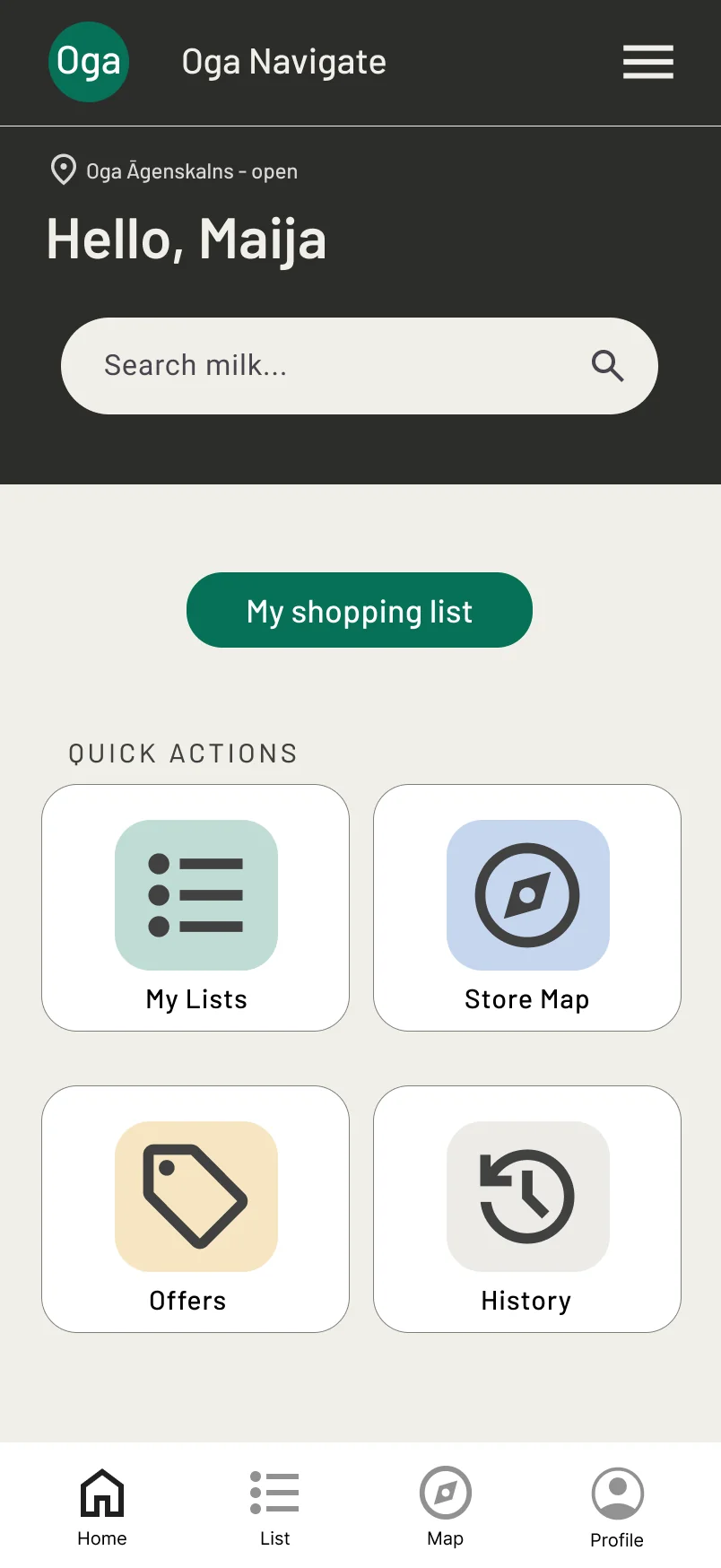
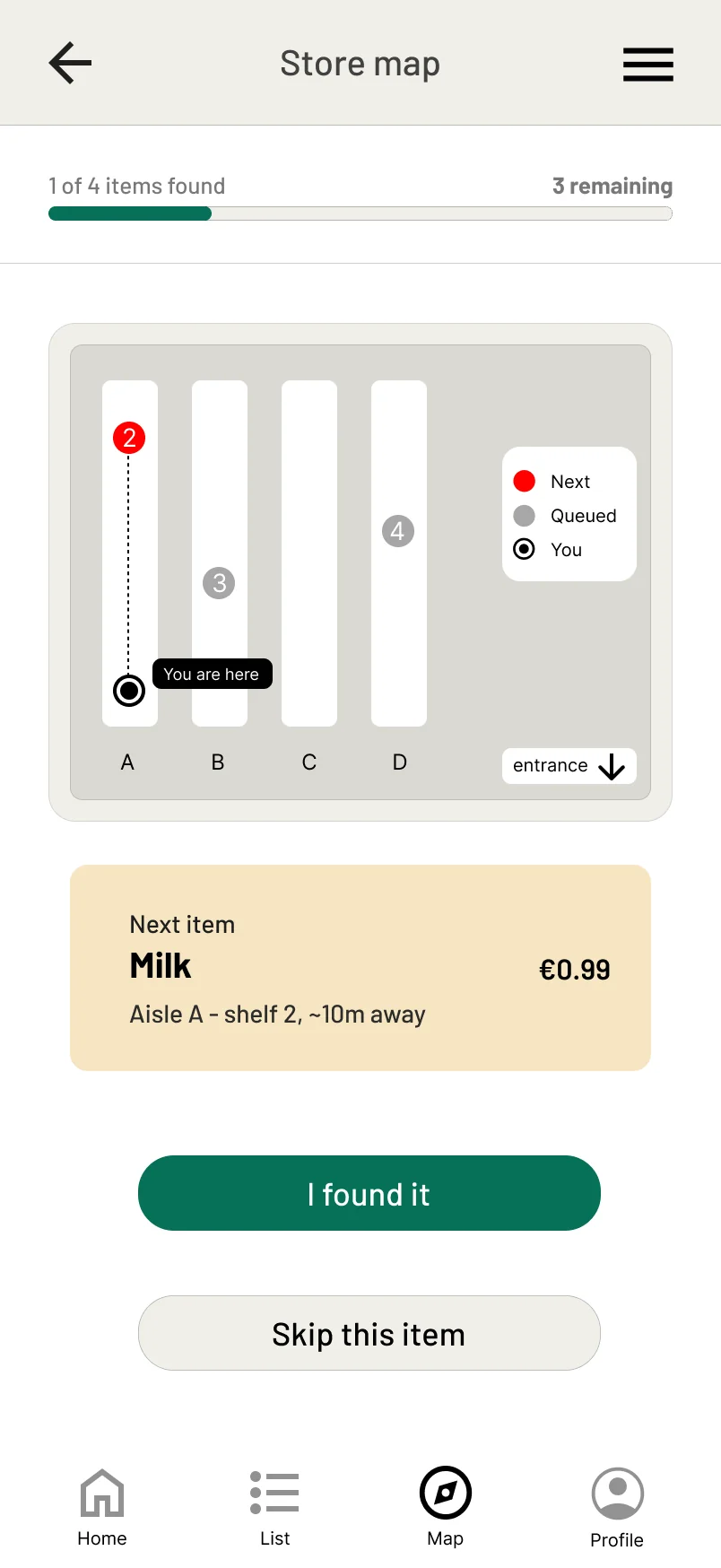
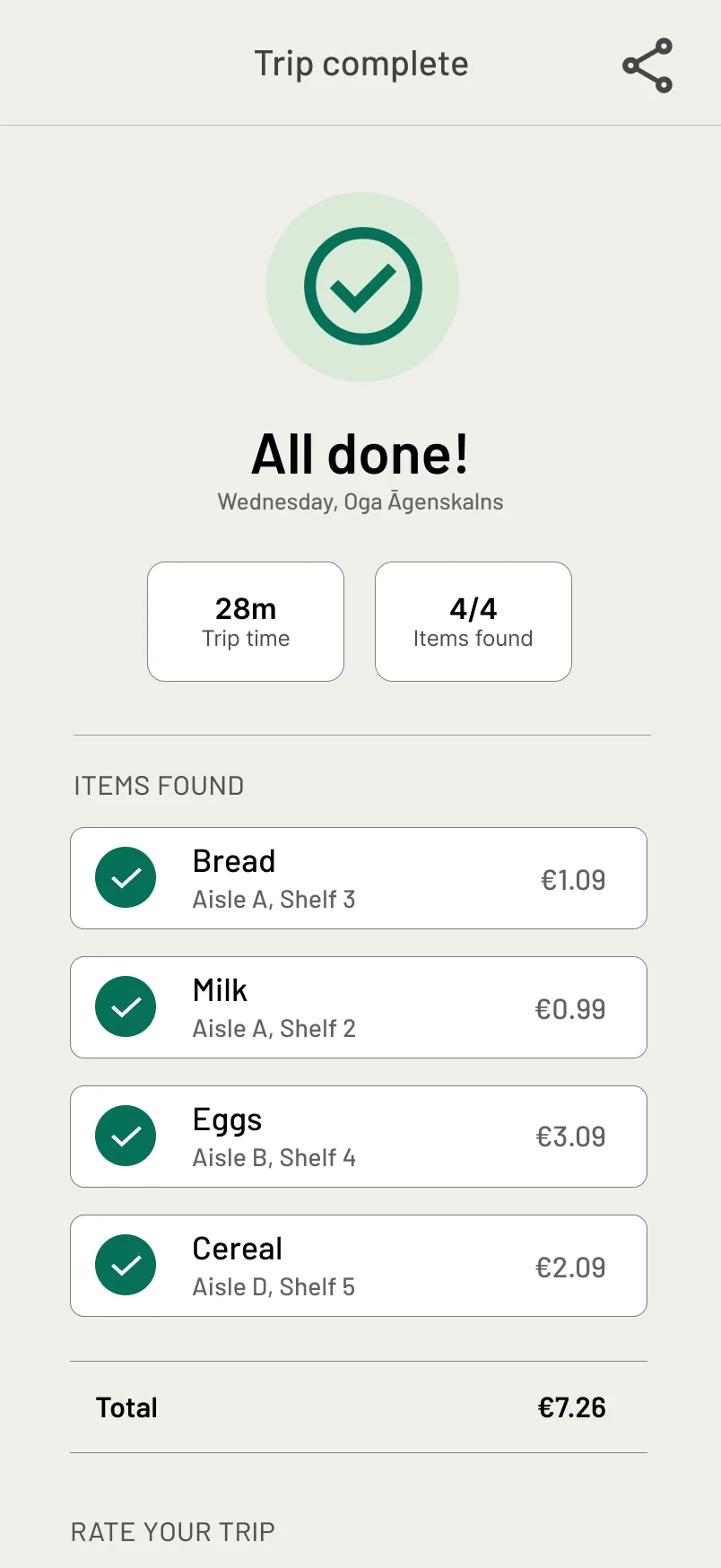
A shopping app for people using neighbourhood grocery shops in Riga. For every item on the list it shows the aisle and the shelf it sits on, and reorders the list to follow the way the store is laid out. The design had to serve two people who want opposite things from the same screen: one is short on time, the other wants to manage without anyone's help.
ROLEDesign and research - one person
DURATIONThree months
METHODSInterviews, user journey map, usability testing
STATUSPrototype - a concept, not shipped
CONTEXTGoogle UX Design Professional Certificate
home
store map
trip complete
PROJECT OVERVIEW
THE PROBLEM
Shops rearrange their shelves without telling anyone, and a familiar store turns unfamiliar overnight. None of the apps I audited show where a product actually is, so the only thing left is a member of staff who is rarely nearby.
THE GOAL
Let a shopper search any product and see its aisle and shelf on a live store map, with the shopping list ordered by the route through the shop.
MY ROLE
All of it: interviews and personas, a competitive audit, sketches on paper and on screen, prototypes at both levels of fidelity, an accessibility review.
2personas, opposite needs
5screens in the longest flow
5.3:1brand green on the background
WHAT THE RESEARCH CHANGED
I started out certain that time pressure was the barrier for everyone. Interviews with two shoppers - a working parent and a retired senior - showed that speed only mattered to one of them. For the other, the thing that mattered was not needing anyone's help. Those two needs are what the rest of the design had to hold together.
>
A rearranged shop no longer has to be relearned. The map names the aisle and the shelf, so knowing where something is comes from the app rather than from memory.
>
Ten minutes of every visit go into searching. The list is reordered to follow the store's layout, so the route falls out of the list instead of being planned separately.
>
The interface can be a barrier of its own. Long walks and dense screens cost the older persona more than the younger one, so large type, strong contrast and fewer steps were requirements rather than polish.
FROM PAPER TO SCREEN
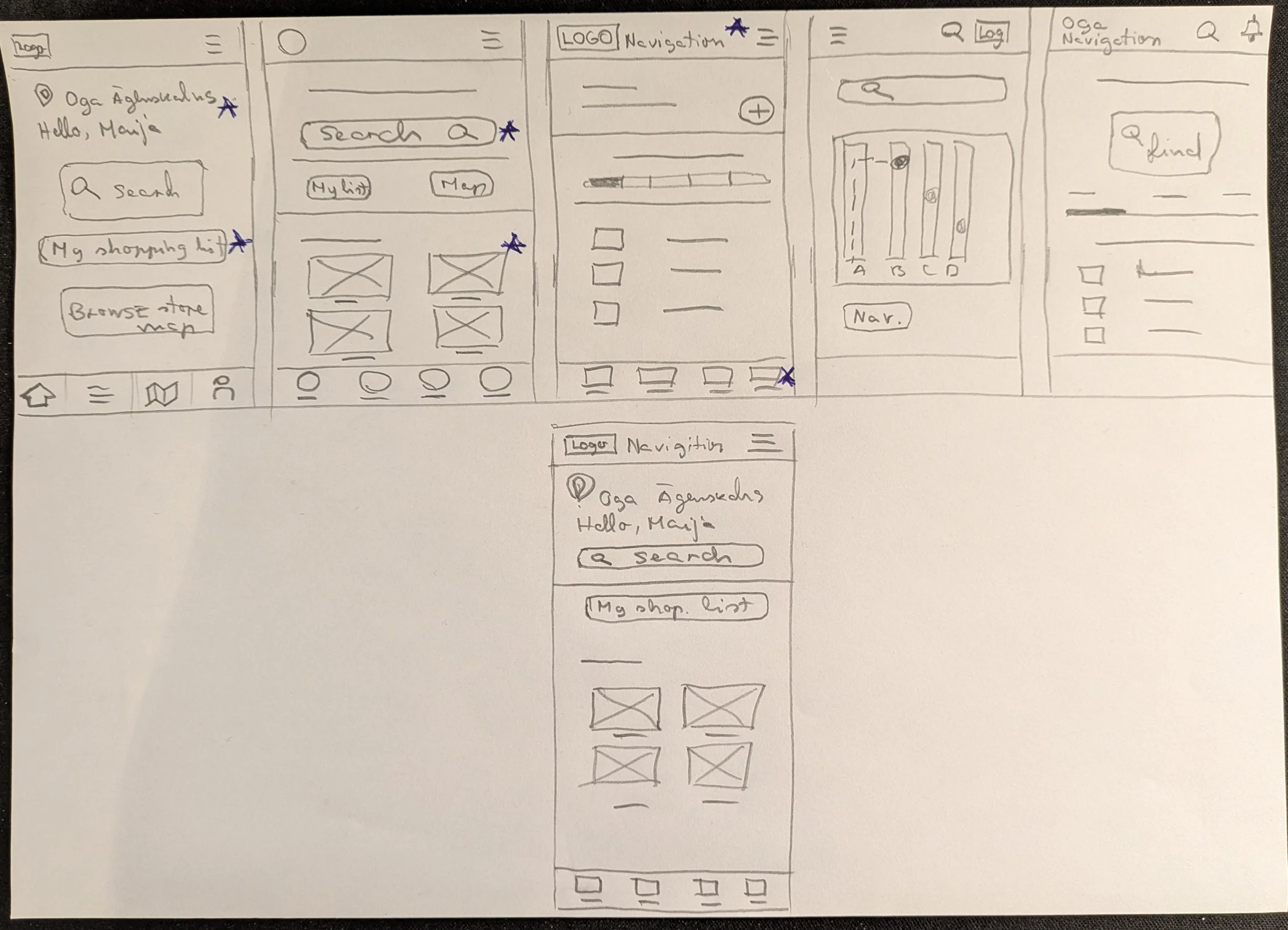
I drew the home screen five ways by hand before anything was drawn on a computer. The stars mark the parts that survived - and the survivors came from different versions, which is the reason for drawing five instead of refining one.
PAPER
// five variants, one refined screen - the stars are the parts that were kept
>
Search sits above everything else. The persona arrives with an intent already formed. Anything placed above the search field would have to be scrolled past on every single visit.
>
Four tiles instead of a menu. Search serves the shopper who knows what the product is called. The tile grid serves the one who would rather look at what is on offer.
>
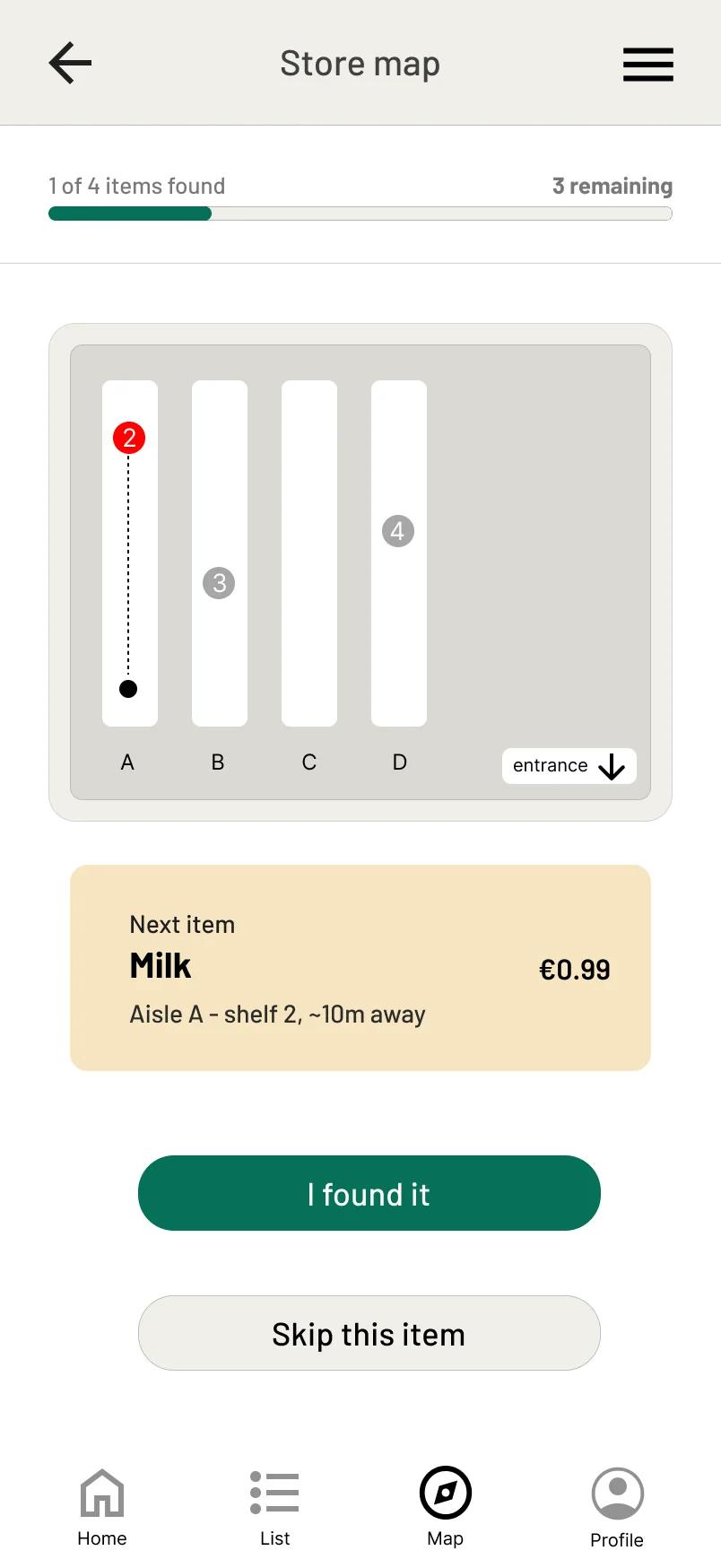
The map screen is kept almost empty. Only two things carry meaning there - where you are and where the next item is - so everything else on the screen is grey and stays quiet.
LO-FI
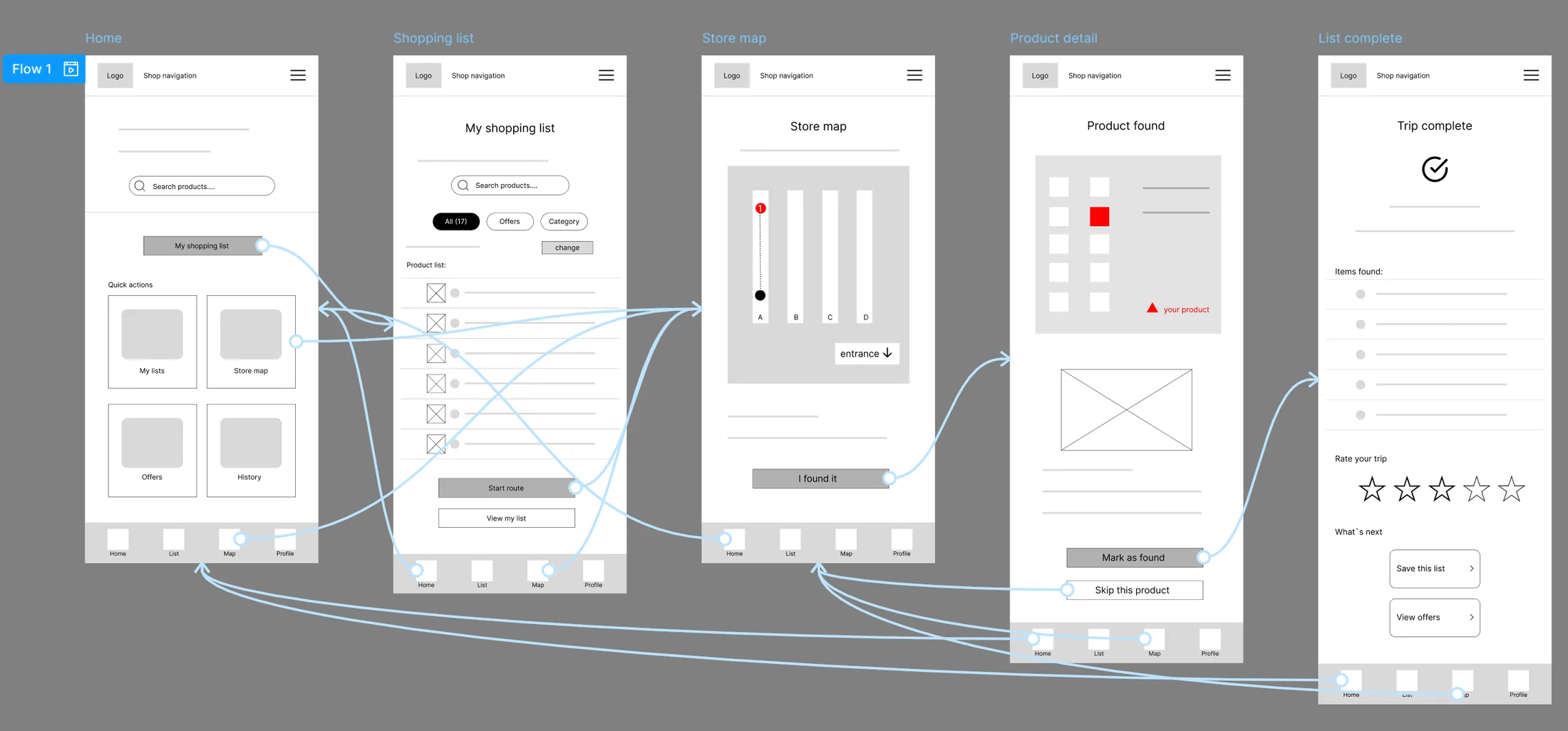
// the low-fidelity prototype - the whole core flow, connected, before any colour existed
USABILITY STUDY
The study ran in two rounds: the first on the wireframes, the second on the finished prototype to see whether the change had worked. The clearest finding is below.
A dot that meant nothing
WHAT PARTICIPANTS DID
On the map screen every participant paused, and several asked out loud what the dark dot was. The pause was short, but it happened at the exact moment the app was supposed to be helping.
WHY IT HAPPENED
The dot was unreadable because nothing named it. On a map with no legend, a mark means whatever the viewer guesses it means. It was obvious to me only because I had drawn it.
fix: a small "You are here" label attached to the dot. No layout change, no new screen - the smallest possible edit removed the confusion. In the second round nobody paused at the dot.
BEFORE
// the dot, unlabelled - every participant paused here
AFTER
the same screen, one label added
HI-FI
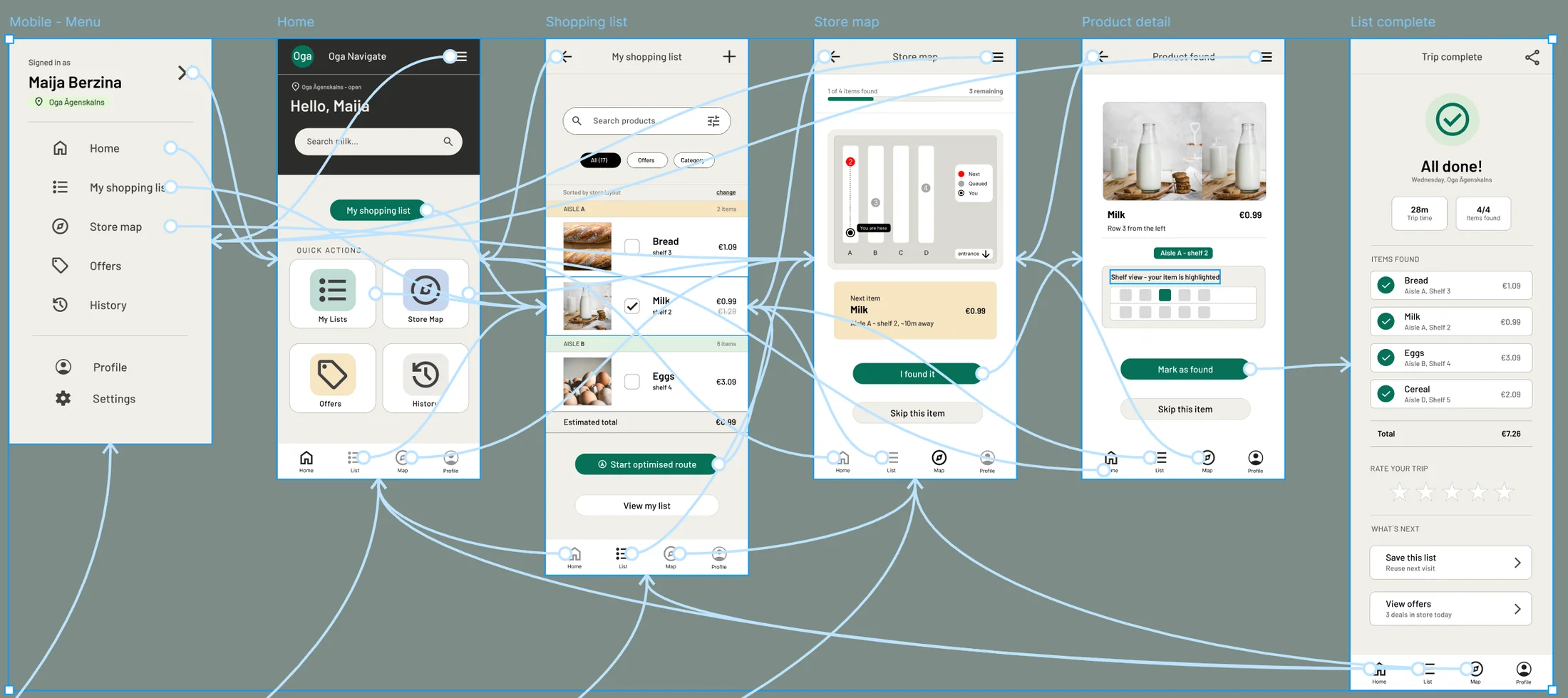
// the high-fidelity prototype - the same flow as the wireframes, with the study's changes in it
ACCESSIBILITY
One of the two people this app is for is a pensioner. That made accessibility a constraint on the first sketch rather than a review at the end.
>
Contrast is calculated, not eyeballed. The brand green on the app background measures 5.3:1, and white text on that green measures 6.1:1. Both clear the 4.5:1 bar for body text, which is what let the green be used for the action buttons rather than only for decoration.
>
Type has a lower bound. Headings start at 32px and nothing in the interface drops below 14px - including the prices and shelf numbers, the small print the older persona cannot read in other apps.
>
The flow is shallow on purpose. No core task is more than five screens deep. Every extra step costs most to the person who is not sure they are in the right place.
WHAT I TOOK FROM IT
Designing for a parent in a hurry and a pensioner who wants to manage alone taught me that accessibility is not a tax the design pays. Every change the older persona needed - larger type, stronger contrast, fewer steps, one clear action per screen - made the app faster for the one in a hurry too.
The other lesson is about how cheap the fix was. The problem the study found was solved by three words on a map.